
AI-Augmented Analysis in Sparx EA
Explain how the parts relate and what a change would touch, across your Sparx Systems Enterprise Architect model and the documents, operational systems and external sources around it, so the whole enterprise is covered.
What the work is
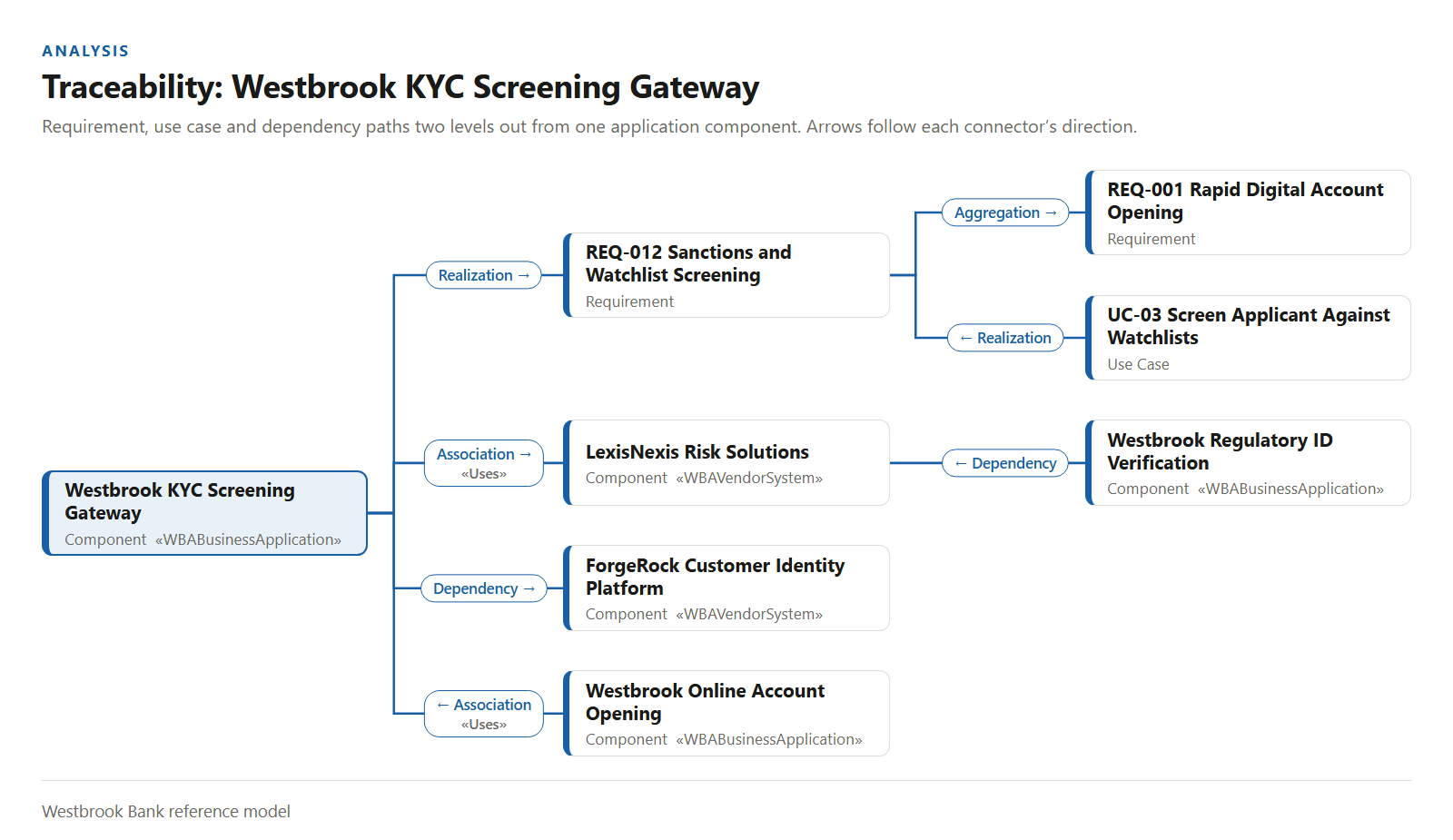
Analysis is explaining how the parts relate and what a change would touch: dependencies, traceability, exposure and drift.
Until now it stopped at the edge of the repository, because the model was all an architect could hold and query at once. Everything else sat in other systems and other people's heads.
With AI the architect can extend the analysis to what the organization already has: documents and spreadsheets, the operational systems (ITSM, CRM, ERP, HRM, ITFM, PPM) and external sources such as laws and regulations, vendor documentation and vulnerability databases. The model ties them together, and the whole enterprise becomes the subject.
It shows up most when someone proposes to retire an application or move a group of them to the cloud and asks what that touches. See cloud migration and application portfolio management.
What changes when analysis reaches beyond the model
Someone asks which applications a new regulation touches, what retiring one of them would break, and what the set is costing. The answer used to take the model, an ITSM export, a finance spreadsheet and three people. The architect can now ask once, across all of them, and show the evidence.
What it gives the team: answers about the whole enterprise, with the evidence shown, so a decision rests on what is actually there.
What your architects can now get done
Each task shows how architects do the work today, how it changes with AI, and the skill it now asks of them. AI is only as good as the person prompting it.
Ask a question across the model and everything around it
Today an architect opens the model, clicks through elements and holds what they have seen in their head, and anything outside the model needs another person or another export. The AI-augmented way is to ask in plain language and get an answer drawn from the model and the sources you point it at, with the evidence shown.
The skill is asking a good question: saying what decision it feeds so the answer fits what the business needs, then checking the evidence before repeating the answer.
Find out what a change would touch, inside and outside the model
Today an architect follows connectors by hand from the element being retired, and stops when the diagram gets crowded or time runs out. The AI-augmented way is to state the proposed change and the decision it feeds. AI traces what depends on the element in the model, then checks the tickets, contracts and documents that mention it, and lists what a change would break with the evidence for each link.
The skill is framing the change precisely and reading the result for what it means to the business.
Find what a regulation reaches, across the model and the systems
Today someone reads the regulation, guesses which applications it touches and sends a spreadsheet around for confirmation. The AI-augmented way is to hand over the regulation text and the model together and ask which applications, data and processes are in scope, and where the model has no answer.
The skill is judging the mapping: a regulation reaches what the business does with a system, and only someone who knows the business can confirm it.
Reconcile the portfolio against the systems of record
Today the model says one thing about an application and the ITSM, finance and PPM systems say three others, and nobody has time to line them up. The AI-augmented way is to put the model beside exports from those systems and ask where they disagree: ownership, cost, lifecycle, criticality, the projects that touch it.
The skill is deciding which record is right for each field and which system gets corrected, because the model is only useful when it agrees with what the organization runs.
Assess a vendor or technology change with the vendor's own documentation
Today a vendor announces an end of life or a vulnerability is published, and the question of what it affects goes around by email. The AI-augmented way is to give AI the vendor's documentation or the vulnerability record along with the model and ask what is exposed, which versions are in use and what depends on them.
The skill is deciding what the exposure means and what to do about it, which depends on the business the systems support.
Keep the model honest: what changed, and what has decayed
Today changes are found by asking around and decay is found by accident, when an orphan turns up in a review or an inconsistent tag breaks a report. The AI-augmented way is to take baselines at the right moments, ask for the difference, and ask for a check of the whole repository: orphans, inconsistent stereotypes and tagged values, and what a deletion would break.
The skill is judging each finding, because only someone who knows the work in flight can say whether a change was intended or an orphan is dead rather than not yet connected.
Which tools help with this job, and when
For analysis the tools differ most in what they can see beyond the model, so that is the first thing to check.
- Claude + AI Power Tools
The widest reach. The live repository plus local files, spreadsheets, exports from your operational systems and the connectors your organization approves, with guided checks and baselines.
- Kernaro AI Hub
A shared web front door for a team, with Model Chat and impact analysis that draws context from Jira, Confluence, Azure DevOps and SharePoint. It reads the model and does not change it.
- GitHub Copilot + AI Power Tools
The same reach into the repository from VS Code, beside the code and configuration the architecture describes.
- Kernaro Assist
Questions about the model from inside Enterprise Architect. It analyzes relationships, dependencies and hierarchies from inside EA, and sees the content the user supplies or attaches through MCP servers.
- Prolaborate 6 with AI
Answers about the model for stakeholders who already read it in Prolaborate.
- Microsoft 365 Copilot
Read-only answers from a published Power BI model, inside Microsoft 365 Copilot Chat, when it is the only AI you may use.
The human skills that make analysis work
AI can reach every source you give it. What it cannot do is decide what matters. These calls stay with the architect:
Which question is worth asking next. AI answers whatever it is asked, quickly. Choosing the question that moves a decision, and the one after it, is the architect’s job.
Which source to trust when two disagree. The ITSM system names one owner and the model names another. The architect decides what is true and which record gets fixed.
What a finding means for the business. A trace shows what is connected and an assessment shows what is exposed. The architect says what it means and what to do.
Whether an orphan is dead or not yet connected. The tool finds it. Only someone who knows the work in flight can say.
Automation checks completeness, people own correctness. Knowing the architecture well enough to make the call, and knowing what to ask next, is what our training and mentoring build.
How we help
Train and mentor your architects
Training and mentoring that teach your architects to ask these questions across your own model and the systems around it, starting with a question your team has open now, and stay with them until asking the next one is a habit.
Foundations courses:
For ArchitectsDo the analysis for you
Consulting for organizations that are capacity constrained or need an answer quickly. We keep the model current, bring in the sources that matter and hand over the analysis with its evidence.
Build and update your architecture model for you