
AI-Augmented Requirements Management
Requirements live in Jira, Excel and Word, disconnected from the architecture they shape. Leaders ask what a change breaks, which requirements have no design behind them, and which designs nobody asked for. We help your architects answer from a model where requirements are elements linked to the components that satisfy them, with AI doing the ingestion and the linking on your Sparx EA repository.
Bring requirements into the model instead of keeping them beside it
Requirements are written in Jira, Excel and Word, and the design is in Sparx EA. The old way copies one into the other and links them by hand until deadline pressure stops it. The modern way reads the requirement sources and links them to the design in the model.
- Requirements are lifted out of documents and spreadsheets and re-keyed into the model
- Trace links from requirement to component are added one at a time, and are the first thing to lapse near a deadline
- A coverage sweep is a slow, partial pass that no one fully trusts
- A change request waits while someone works out by hand what it touches
- AI reads requirements from Jira, Excel and Word into stereotyped model elements, with the source reference kept
- AI proposes links to the components and capabilities that satisfy each requirement, and the architect accepts or rejects them
- A coverage query lists requirements with no design behind them and designs with no requirement
- A change request shows what it touches downstream before anyone commits
Where AI lands in requirements work
These are the four use cases behind AI-Augmented Architecture, applied to a requirements practice.
Ingest requirements as model data
Pull requirements from Jira, Excel, or Word directly into Sparx EA as properly stereotyped elements, with no copy-paste and no re-keying. Then link them to the components and capabilities that satisfy them, in your MDG, at enterprise scale.
AnalysisTrace impact and coverage
Trace the full downstream impact of changing or retiring a requirement, and surface coverage gaps by walking the real model graph: requirements with no design behind them, and design with no requirement justifying it. The model ties in the requirement sources in Jira, Excel and Word, and the laws and regulations a requirement answers to.
GovernanceKeep the links trustworthy
Check requirement elements and their traces against your standards as they change: missing links, dangling references, incomplete metadata. Decisions then rest on traceability that is complete and consistent, not on a link that quietly broke.
Stakeholder EngagementBrief stakeholders from the model
Answer coverage and impact questions in plain business language (what is traced, what is exposed, what a change touches) straight from the governed model, without EA access or an architect in the loop for every question.
What a requirements manager can now get done
With AI-Augmented Architecture, a requirements manager hands over the requirements held in Jira, Excel and Word, gives the instructions in a prompt, and reviews the linked model that comes back.
In Ryan Schmierer's experience, most of the requirements week goes to re-keying requirements and stitching traceability together link by link. That is the time left for deciding what a requirement means and whether the set is complete.




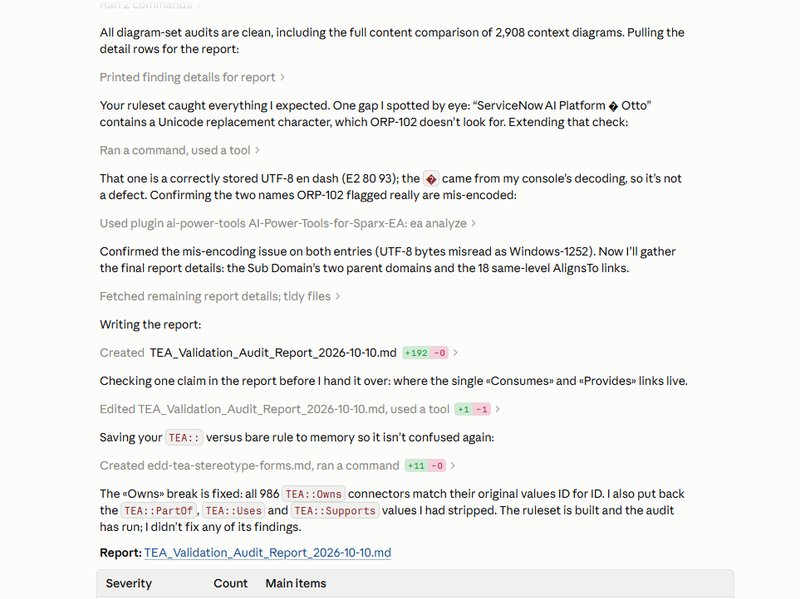

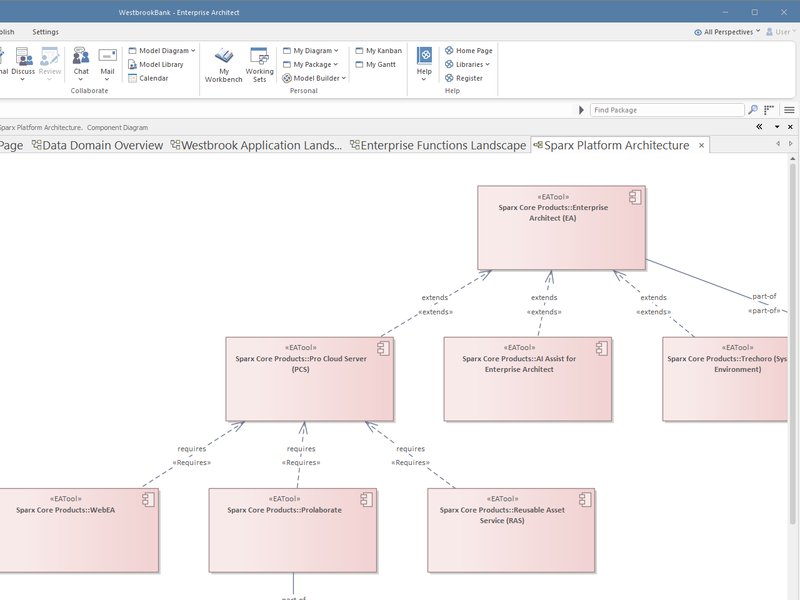

Getting requirements out of documents and into the model
Today requirements are copied from Jira, Excel and Word into the model one at a time. AI-augmented, the manager sets the rules for how requirements arrive (what counts as one, how to split a paragraph, which fields to keep) and AI loads them as stereotyped elements with their source reference.
The skill is stating those rules clearly and reviewing the first batch before the rest is loaded.
Linking each requirement to the design that satisfies it
Today links from requirements to components are made by hand and are the first thing to lapse near a deadline. AI-augmented, AI proposes a link from each requirement to the components and capabilities that appear to satisfy it, and the manager accepts or rejects each proposal.
The skill is judging whether a component really meets what the business meant, which is a reading skill more than a modeling one.
Finding what has no design behind it
Today a coverage check is a slow, partial pass that no one fully trusts. AI-augmented, the manager asks the model for requirements with no satisfying component and designs with no requirement that justifies them.
The skill is deciding which gaps matter and which are acceptable.
Saying what a change breaks
Today a change request waits while someone works out by hand what it touches. AI-augmented, the manager asks the model for the downstream impact of changing or retiring a requirement, across components, tests and other requirements.
The skill is knowing whether a missing link means the change is safe or the link was never made.
Keeping the links trustworthy
Today broken or dangling references are found when someone happens to follow them. AI-augmented, the manager states what a healthy trace looks like (every requirement linked, no dangling references, required metadata present) and AI checks the model as requirements change.
The skill is defining healthy in rules specific enough to check, and deciding which findings need a conversation with the requirement's owner.
Answering coverage questions for people without EA
Today product owners and auditors ask the manager, who builds a spreadsheet. AI-augmented, the manager decides which coverage and impact questions will be asked and sets up views and plain-language answers that people reach without a Sparx EA license.
The skill is anticipating the question, and stating what each answer can and cannot claim.
Which tools help with this work, and when
The right tool depends on the job and on where the people who need the answers already work. For stakeholders it is usually the tool they already have open.
- Claude + AI Power Tools
The widest range of guided requirements management work: getting requirements into the model, linking them to the design that satisfies them and keeping the links trustworthy, on the live repository.
- GitHub Copilot + AI Power Tools
The same work from VS Code, for architects who already work there.
- Kernaro Assist
Works inside Enterprise Architect as architects model, checking requirement elements and their traces against your standards, such as missing links and incomplete metadata.
- Kernaro AI Hub
Answers the change-impact and coverage questions across the whole model.
- Prolaborate 6 with AI
Gives delivery teams, product owners and auditors coverage views in a browser, with no EA modeling skills needed.
- Power BI
Dashboards for delivery teams, product owners and auditors, in a tool they already open. Kernaro AI Hub is the recommended feed for anyone who can afford it, read live through the Kernaro Connector for Power BI.
- Microsoft 365 Copilot
Read-only. Delivery teams, product owners and auditors can ask what is traced and what is exposed in Teams or Outlook, answered from a published Power BI model or, with Kernaro AI Hub, through its read-only API.
AI can take on tasks. The architect owns the coverage map.
The architect still owns the trace
AI can confirm that every requirement has a trace and that every link points somewhere valid. It cannot tell you whether the trace is right, whether the component you linked actually satisfies the requirement, or whether the requirement itself reflects what the business meant.
It will propose links and flag gaps at a scale no person could match, but a requirement that was mis-stated still reads as fully covered.
Closing that gap is the architect’s job: translating between what the business needs and what the IT estate does, deciding which traces are real and owning the consequences when one is not.
How we help
Train and mentor your architects
Training and mentoring that teach your architects to bring requirements into the model, link them to the design and keep the links trustworthy, on your own repository, then stay with them until the new habits stick.
For ArchitectsBuild the model for you
Consulting for organizations that are capacity constrained or need results quickly. We bring your requirements into the repository and link them to the design, and hand it over complete and current.
Build the model for you
Frequently asked questions
Does AI replace the architect in requirements management?
No. AI scales the data work: ingesting requirements from Jira, Excel, and Word, proposing traceability links, and sweeping for coverage gaps across the whole estate. The architect still decides whether a trace is meaningful, whether a requirement reflects what the business meant, and what the coverage map actually means.
What does the repository need before this works?
A governed Sparx EA repository with consistent stereotypes for requirements and the design elements they trace to. Ungoverned data produces fast, confident, wrong answers. We assess whether your repository and requirement sources are ready as part of the engagement and remediate the data foundation as needed.