
Prolaborate 6 with AI
The stakeholder collaboration portal from Sparx Systems, with AI that summarizes discussions and diagrams, searches the model in natural language, and drafts and polishes descriptions.

What it is
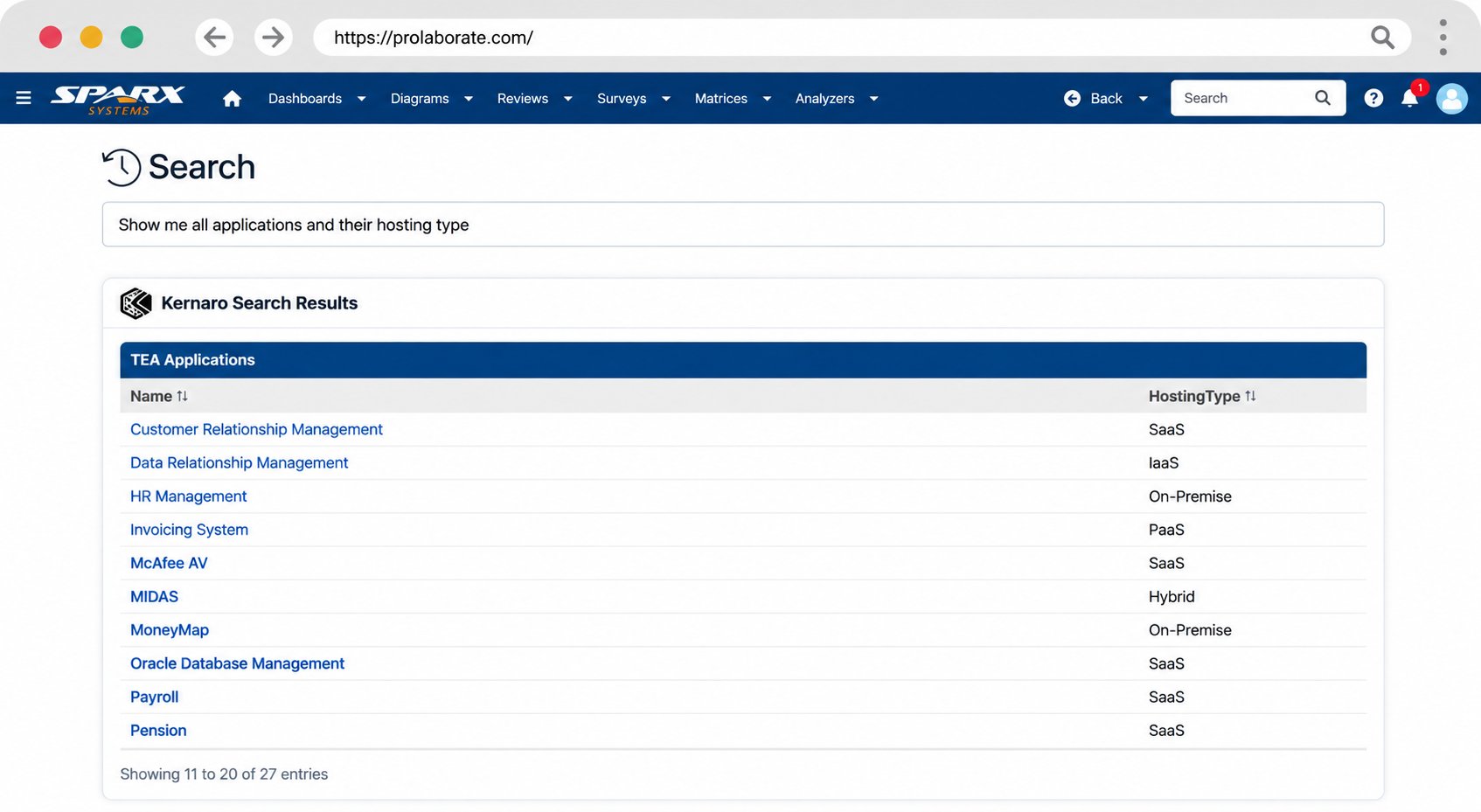
Prolaborate is the web portal where architects and stakeholders work on the same Sparx EA model. Prolaborate 6 adds what Sparx calls the AI Edition, with four features: summaries of discussion threads and diagrams, natural language search and ad-hoc reports in the reader’s own language, an assistant that drafts element descriptions, and one that rephrases and polishes text.
The AI runs on Kernaro AI, the same service behind Kernaro AI Hub, and it is off by default. Your IT team switches it on and connects your LLM.
Who it is for
Organizations where Prolaborate is already how stakeholders see the architecture: the reviewers, business owners and project teams who read diagrams and join discussions there and will never open Enterprise Architect.
What it helps you do
- Analysis
Stakeholders ask the model a question in their own language and get a report back. Sparx: “Query model artifacts, perform impact analyses, and generate ad-hoc conditional reports using intuitive natural language prompts.”
- Stakeholder Engagement
Give reviewers a summary of a long discussion thread or a detailed diagram, draft the descriptions that usually get left blank, and polish replies and documentation for a business audience.
When Prolaborate 6 with AI is the right choice
Choose it when Prolaborate is already in place and your stakeholders live there. It makes the model easier to read, discuss and search for people who were never going to open EA, in their own language.
It explains the model. It does not build it or check it, so modeling and governance work stays with Kernaro Assist inside EA, or with Claude or GitHub Copilot and AI Power Tools on the live repository. Claude + AI Power Tools can also build and read Prolaborate dashboards through the browser, which is separate from Prolaborate’s own AI.
You license Prolaborate and a Kernaro AI Hub license from Sparx Systems, and bring your own LLM.
How we help
Set it up for your stakeholders
We take your IT team through what Sparx requires for the AI Edition, build the views your stakeholders need, and prove the first use cases on your own model.
Configure the solutionTrain and mentor your architects
Prolaborate shows the model. The Foundations courses teach the architects who build it, with Kernaro Assist, Kernaro AI Hub, Claude or GitHub Copilot, on your own repository.
The Foundations coursesSparx Office Hours
A standing session where your team brings what they are stuck on and sees how others solved it.
Ask about Office Hours