
AI-Augmented Process Modeling
Organizations want process models the business can validate and plan from, and they should have them, built in Sparx EA. The old way records each process by hand from workshops and documents, then collects it all again when the work changes. The modern way connects AI to the procedure documents, workshop notes and system exports you already have, lets the architecture model stitch each process to the applications, roles and capabilities it touches, and visualizes the result for the people who run the work.
From transcribing processes to improving them
Process modeling exists to show where work breaks, where it can be simpler and where automation pays off. Collecting inputs and redrawing them into clean BPMN leaves little time for that. Let AI do the capture and the conformance checks, and your architects spend their time analyzing and improving the process.
- Each process is recorded from workshops and procedure documents, then collected again when the work changes
- Pools, lanes, tasks and gateways are drawn and typed by hand
- ArchiMate cross-references to the applications a task uses are added a few diagrams at a time
- The model shows the process as it was explained in the last workshop
- AI connects to procedure documents, workshop notes and exports from the systems that run the work, and drafts the BPMN from them
- The model stitches each process to the application services, roles and capabilities it touches
- The architect walks the draft with the process owner and corrects what actually happens
- Process maps and process-to-application views are visualized for the business to validate
Where AI lands in process work
These are the four use cases behind AI-Augmented Architecture, applied to a process practice.
Capture the process as BPMN
Turn process narratives, workshop notes, and spreadsheets into properly structured BPMN in Sparx EA: pools, lanes, tasks, gateways, and message flows, stereotyped against your MDG. The AI does the placement. You confirm the flow reflects reality at the right level of abstraction.
AnalysisTrace process to application
Once tasks are cross-referenced to ArchiMate Application Services, "which processes depend on the Payment Gateway?" becomes a query, not a round of meetings. The AI walks the capability-to-task-to-service chain and flags where links are missing. The model also ties in the procedure documents, workshop notes and the operational systems the tasks run in.
GovernanceKeep models conformant
Check every process against your standards: naming, tagged values, gateway and event usage, the BPMN-to-ArchiMate cross-references that make a diagram queryable. The AI surfaces what's missing or inconsistent across the package and produces review-ready findings.
Stakeholder EngagementBrief the business from the model
Generate process documentation and summaries business participants can validate, drawn straight from the governed model instead of maintained separately in a deck. What stakeholders review matches what the repository holds.
What a process architect can now get done
With AI-Augmented Architecture, a process architect hands over the procedure documents, workshop notes and system exports, gives the instructions in a prompt, and reviews the process model that comes back.
In Ryan Schmierer's experience, most of a process architect's week goes to capturing, transcribing and conformance-checking models by hand. That is the time left for finding where the work breaks.




Drafting the process from what people already wrote down
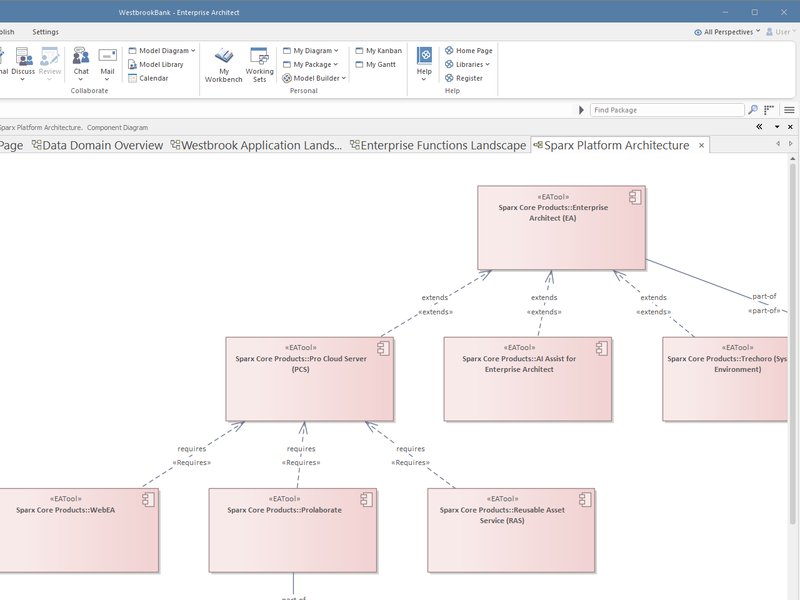
Today the architect sits through workshops, then redraws the process as BPMN by hand. AI-augmented, the architect hands AI the narratives, workshop notes and spreadsheets, and states the level of detail the model should hold. AI drafts the pools, lanes, tasks, gateways and message flows, typed against your MDG.
The skill is setting the right level of abstraction, and confirming with the process owner that the flow reflects what really happens.
Tying each task to the application that supports it
Today ArchiMate cross-references from tasks to application services are added a few diagrams at a time. AI-augmented, the architect states how tasks relate to application services in your organization, and AI proposes the cross-references across the package, so "which processes depend on the Payment Gateway?" becomes a query.
The skill is deciding which links are real and which only look plausible.
Finding the processes a system change touches
Today the answer comes from meetings with each process owner. AI-augmented, the architect asks the model to walk from a capability through its tasks to the services behind them, and to flag where links are missing.
The skill is telling a gap that means no dependency from one that means an unrecorded dependency.
Holding process models to your standards
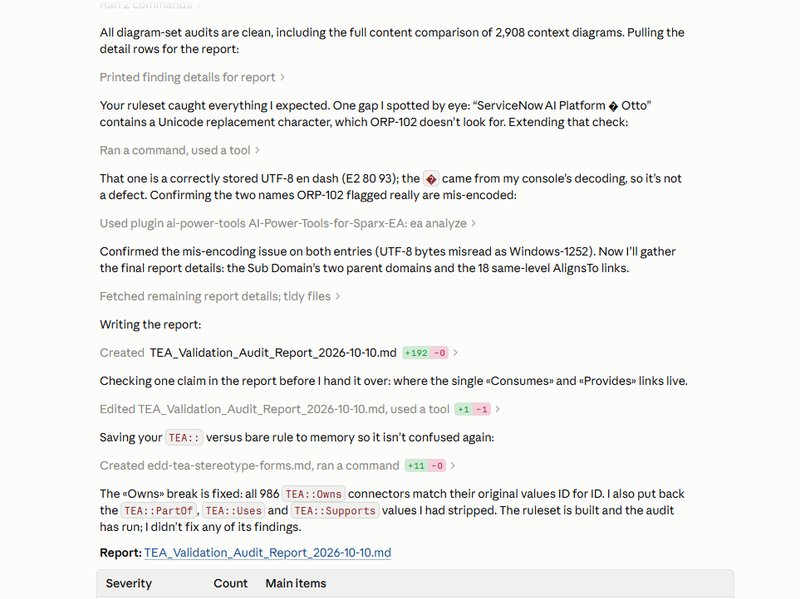
Today naming, tags and gateway usage are checked by reading diagrams one at a time. AI-augmented, the architect writes the standard as rules (naming, tagged values, gateway and event usage, the BPMN-to-ArchiMate cross-references), and AI checks the whole package and produces review-ready findings.
The skill is turning modeling conventions into rules, and knowing which rules reflect the real standard.
Sharing a process with people who do not have Sparx EA
Today diagrams are screenshotted into slides, which then drift from the model. AI-augmented, the architect decides who needs to see what, and AI exports diagrams to image, SVG or Visio and moves packages between repositories for reviews outside the modeling team.
The skill is deciding what is safe to share and what the reader needs.
Letting the business validate the process
Today process documentation is written separately from the model and maintained in a deck. AI-augmented, the architect states what a process owner needs to confirm, and AI generates documentation and summaries from the governed model, so what the owner reviews matches what the repository holds.
The skill is writing for the reviewer, and deciding what the summary leaves out.
Which tools help with this work, and when
The right tool depends on the job and on where the people who need the answers already work. For stakeholders it is usually the tool they already have open.
- Claude + AI Power Tools
The widest range of guided process modeling work: drafting processes from what people wrote down, tying tasks to applications and checking process models against the standard, on the live repository.
- GitHub Copilot + AI Power Tools
The same work from VS Code, for architects who already work there.
- Kernaro Assist
Works inside Enterprise Architect as architects model, checking process models against your standards, such as naming, gateway and event usage and the BPMN-to-ArchiMate cross-references.
- Kernaro AI Hub
Answers the “which processes touch this system?” questions across the whole repository.
- Prolaborate 6 with AI
Gives process owners and business participants process documentation and summaries in a browser, with no EA modeling skills needed.
- Power BI
Dashboards for process owners and business participants, in a tool they already open. Kernaro AI Hub is the recommended feed for anyone who can afford it, read live through the Kernaro Connector for Power BI.
- Microsoft 365 Copilot
Read-only. Process owners and business participants can ask which processes a system change touches in Teams or Outlook, answered from a published Power BI model or, with Kernaro AI Hub, through its read-only API.
AI can take on tasks. The architect owns the truth of the process.
The architect still owns the truth of the process
AI can confirm a process model conforms to your standards: the cross-references exist, the gateways are typed, the tagged values are filled. It cannot tell you whether the process you've captured is the one that actually runs, whether you've modeled the right exceptions, or whether a handoff that looks clean on the diagram hides a real organizational fault line.
That is the architect's job. The architect sits with a process owner, hears how the work really happens, and decides what belongs in the model and at what level.
AI scales the capture and the conformance checking. It does not supply the understanding of the business or replace the review discussion where correctness gets settled.
How we help
Train and mentor your architects
Training and mentoring that teach your architects to capture processes from what people already wrote down, tie them to applications and hold them to your standards, on your own repository, then stay with them until the new habits stick.
For ArchitectsBuild the model for you
Consulting for organizations that are capacity constrained or need results quickly. We build the process models in your repository from your procedure documents and workshop notes, and hand them over complete and current.
Build the model for you
Frequently asked questions
Does AI replace the architect in process modeling?
No. AI absorbs the production work: placing pools and lanes, stereotyping tasks and gateways, checking conformance, and tracing cross-references across the whole package. The architect still decides what the process actually does, where the real handoffs are, and whether the model is right.
What does the repository need before this works?
A governed Sparx EA repository with consistent BPMN standards and ArchiMate cross-references, so process models are queryable rather than just drawable. Ungoverned models produce fast, confident, wrong answers. We assess whether your repository and standards are ready as part of the engagement and remediate the foundation as needed.