
GitHub Copilot + AI Power Tools
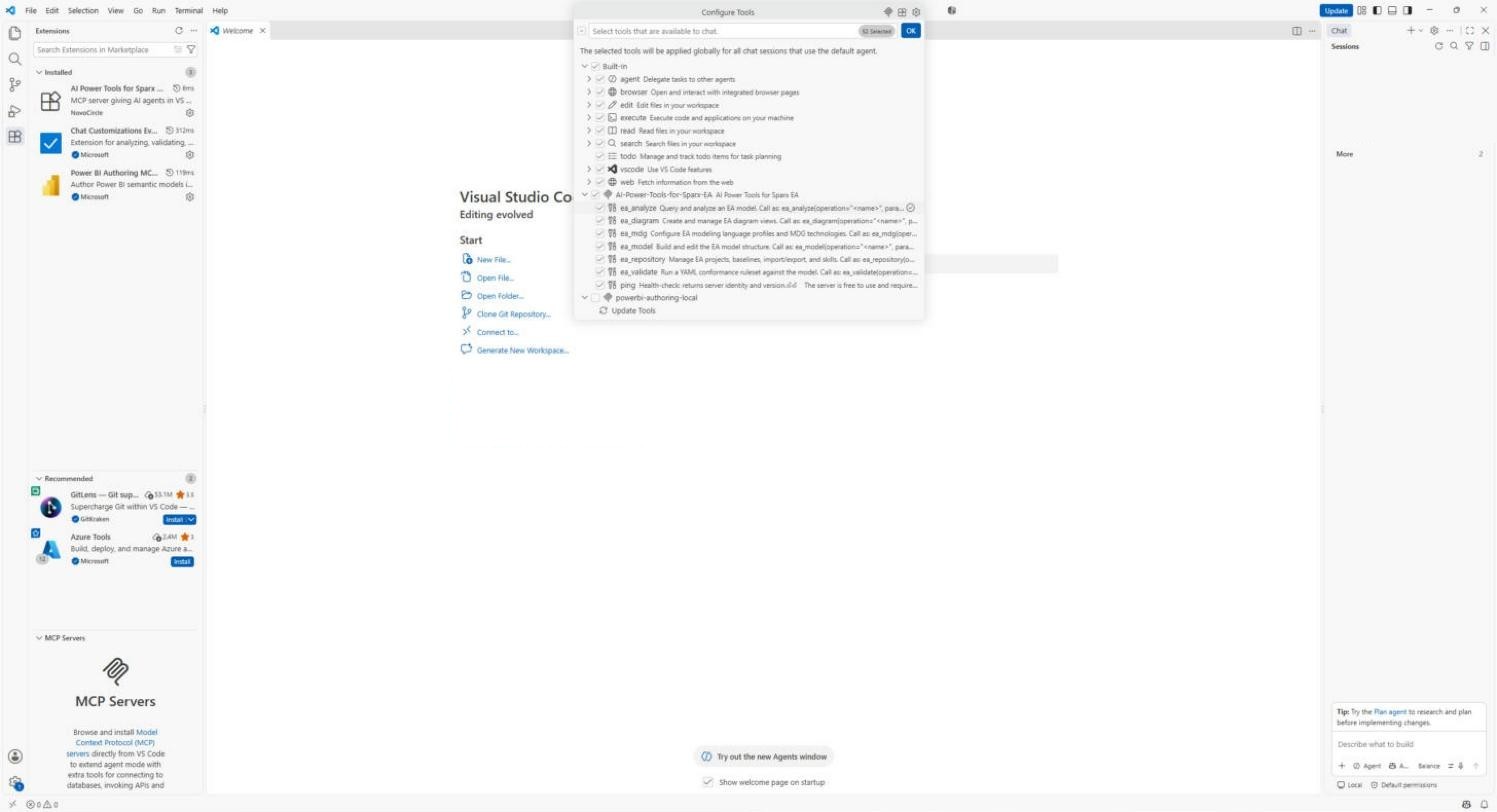
GitHub Copilot Chat in VS Code working on the live Sparx EA repository through AI Power Tools, with the same skills Claude uses, AI models from several providers and no computer use today.
What it is
GitHub Copilot is GitHub’s AI assistant in Visual Studio Code. AI Power Tools for Sparx EA (opens in a new tab) gives it the same connection to the live Enterprise Architect model and the same library of skills it gives Claude. The difference is where you work and which AI model does the work: Copilot can use any model your plan allows, including Claude and models from other vendors, or your own API key.
You work in Copilot Chat in VS Code with Enterprise Architect open beside it. Copilot does the work in the model and you review what changed. VS Code has no computer use today, so you open EA and look at the diagrams yourself when a task calls for it.
Who it is for
Architects who already work in VS Code with GitHub Copilot, often beside the code and configuration the architecture describes, and organizations that want the choice of AI model without a Claude subscription.
What it helps you do
- Modeling
Hand over a spreadsheet, inventory or document and get the elements, relationships and diagrams built in your modeling language. Set up or derive your MDG Technology without hand-editing XML.
- Analysis
Ask what depends on a system before you change it, what changed since a baseline, and what a change would touch across the model and the files you give it.
- Governance
Run your rules against the whole model or one package and get the findings grouped by rule. Take a baseline before a bulk change so it can be rolled back.
- Stakeholder Engagement
Build the reporting database and Power BI reports from the model in your stakeholders’ vocabulary.
When GitHub Copilot + AI Power Tools is the right choice
Choose it when your architects already live in VS Code with Copilot, or when you want the choice of AI model. The AI cost rides on a Copilot subscription your organization may already hold, and AI Power Tools is free.
Today VS Code has no computer use, so Copilot cannot open EA, read its dialogs or look at a diagram in EA’s window. If you want the assistant to do that, look at Claude + AI Power Tools. A team that wants single sign-on and an audit trail of AI use should look at Kernaro AI Hub alongside it.
You need a GitHub Copilot plan your organization permits and an Enterprise Architect license from Sparx Systems. On Copilot Business and Enterprise, an administrator has to switch on tool use before it works.
How we help
Set it up on your repository
We set GitHub Copilot and AI Power Tools up for your repository and modeling language, work through the Copilot policy with your IT team, and prove the first tasks on your own model.
Configure the solutionTrain and mentor your architects
The Foundations course with GitHub Copilot teaches your architects to work this way on your own repository and standards, inside the editor they already use. We mentor them until it sticks.
The courseSparx Office Hours
A standing session where your team brings what they are stuck on and sees how others solved it.
Ask about Office Hours